University of Michigan · XR course project · Oct 2022
Planting virtual trees around Ann Arbor
AR Tree-Planting Game
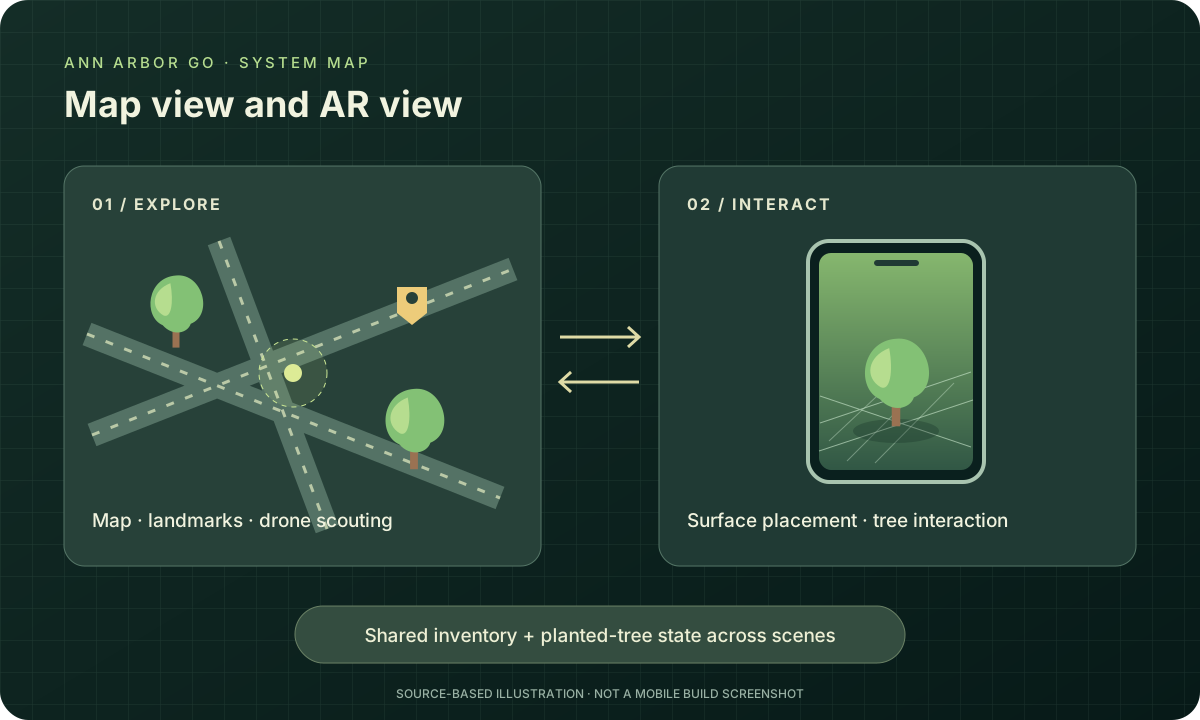
Ann Arbor Go is a phone game where players explore a map, plant virtual trees on nearby surfaces, and defend them from squirrels with acorns. Maxwell Zuber and I built it for our XR course.
I worked on the mode and navigation controls, camera setup, and acorn interactions. Maxwell and I shared the implementation, with both of us working across the game.
- connected scenes
- 2
Map exploration and AR interaction
- test device
- iPhone
Development used both the Unity Editor and the device
- course teammates
- 2
Starting point
Moving between the map and the camera
The game has separate scenes for exploring the map and interacting in AR. Inventory and planted-tree information carry between them so players can switch modes and keep playing.
How it came together
- 01
Explore the area
Compass and landmark cues help players find their way around the map. Maxwell proposed a drone mode for scouting before traveling.
- 02
Plant a tree
In the camera view, the AR cursor marks where a seed will go on a detected surface.
- 03
Defend it from squirrels
Players use acorns as projectiles and manage items through the inventory and shop controls.
Movement felt different on the phone
Problems deploying to the iPhone delayed our device tests. Once we could test it, movement that had felt fast in the Unity Editor felt slow on the phone. We needed regular device tests to catch those differences during development.
The original is a single-player game built by two teammates. Its shared state connects scenes within one game; it doesn't synchronize multiple players.
The browser demo uses a generated park and simplified planting controls. Its water and boost actions and growth stages differ from the mobile game. The original deployable mobile build hasn't been recovered.
Try it in your browser
This demo recreates parts of the project so you can try the interactions.