University of Michigan · XR course project · November–December 2022
Finding objects with a phone
AR Navigator
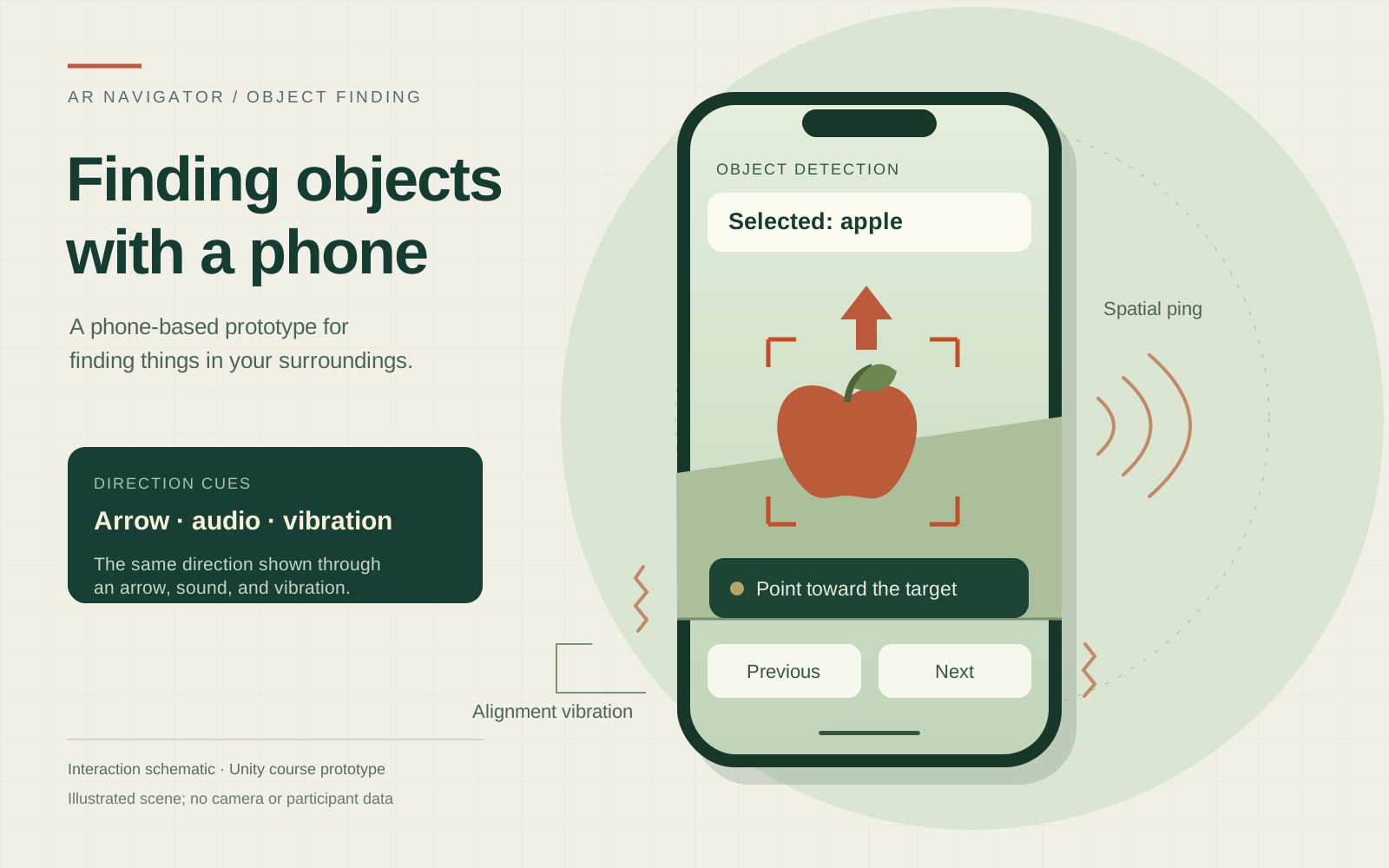
AR Navigator is a mobile prototype that points toward a selected object with an arrow, spatial sound, and vibration. I proposed the idea for people with vision impairments and built it with my course team in Unity.
I came up with the concept, helped develop it in Unity and C#, and revised the interaction with the team through weekly peer playtests.
- ways to choose a target
- 2
Object detection and uploaded image references.
- types of guidance
- 3
Visual arrow, spatial audio, and vibration.
- object categories in the model
- 80
The YOLOv3-tiny label set; this count doesn't measure detection accuracy.
Starting point
Choosing what to find
The app offers two ways to set a target: select a common object detected by the camera, or add a labelled reference image from the photo library. Both modes use the same types of directional cues.
How it came together
- 01
Select a target
The phone runs YOLOv3-tiny to detect common objects and AR Foundation to track image references. Users can select a target or cycle through the available ones.
- 02
Turn toward it
An arrow and spatial ping indicate direction. The phone vibrates when it lines up with the target.
- 03
Control the search
Spoken labels and accessibility support help users operate the controls and stop guidance when they're finished.
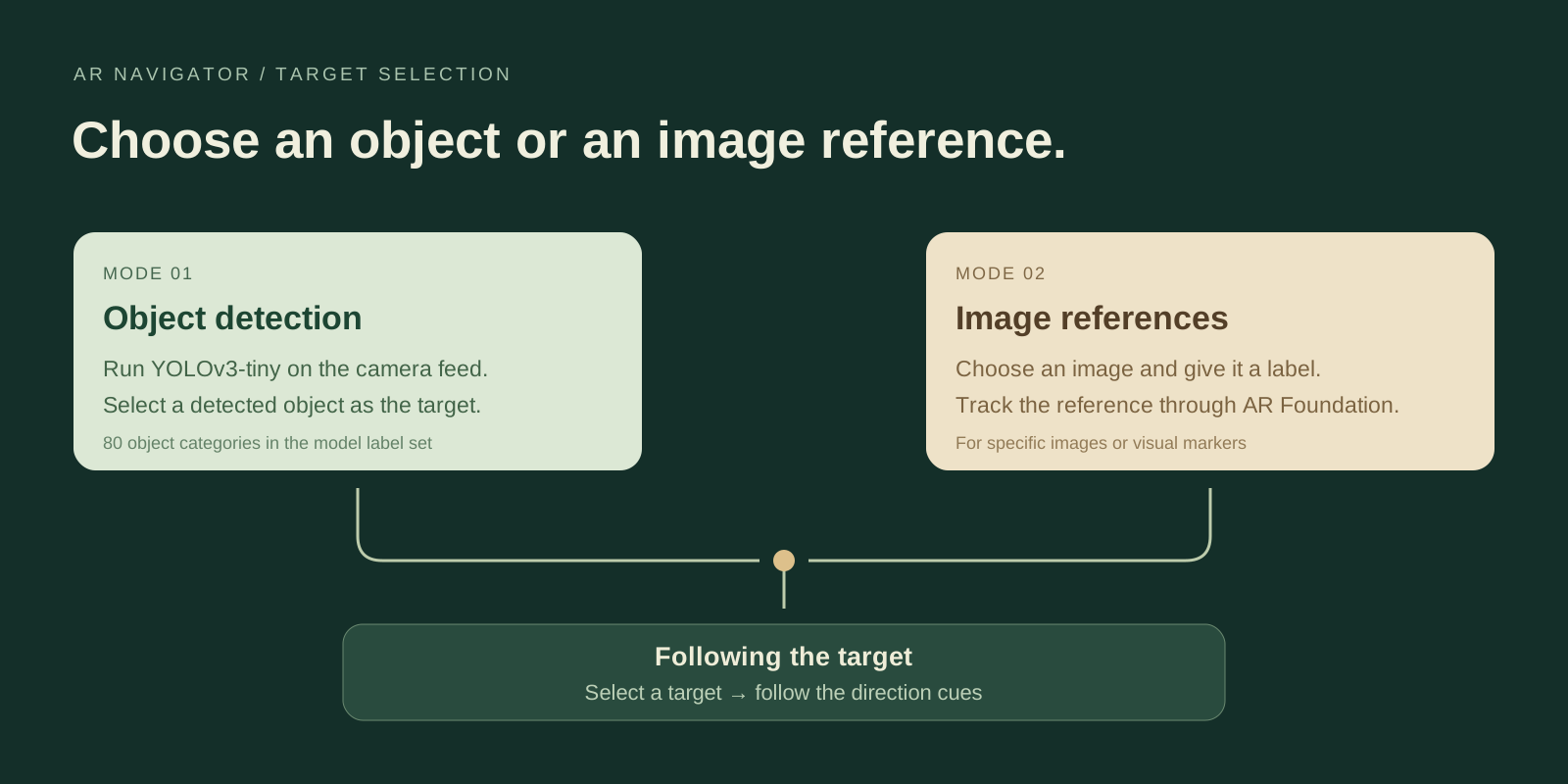
The two modes were confusing in playtests
Peer testers could use the audio and vibration, but the difference between the modes wasn't clear. We focused on connecting the two search flows and revising the interface, and set aside a partially developed radar map.
The browser demo recreates the interaction with generated scenery and detections. The linked team trailer shows the original mobile application.
We used peer playtests to improve the design. We haven't established how well the prototype works for people with vision impairments.
Try it in your browser
This demo recreates parts of the project so you can try the interactions.