University of Michigan · Computer Vision course project · Sept–Dec 2022
Applying an artistic style to a selected object
Interactive Segmented Style Transfer
I built an application for selecting an object in a photo and applying an artistic style to it. The selected area changes while the surrounding image stays the same.
I proposed the idea and led the design, implementation, model comparisons, and integration into the final application.
- stylization models compared
- 4
- sampled evaluation inputs
- 1,000
DAVIS585 / WikiArt image–mask–style combinations
- AdaIN stylization time
- 4.92 ms
Mean of 600 transfers; excludes segmentation and compositing
Starting point
Selecting the area to change
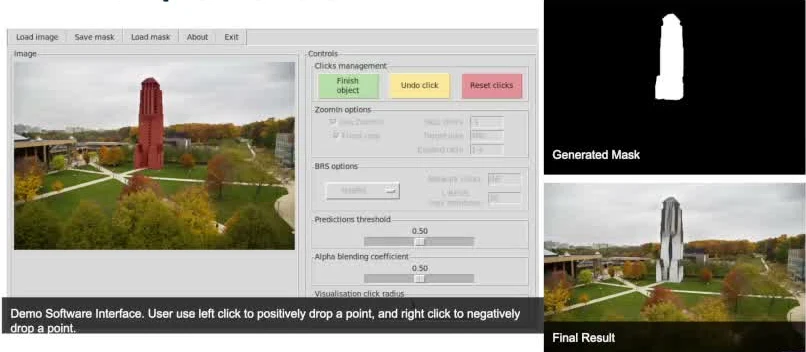
The application uses clicks to select an object and refine its mask, which marks the area to edit. It then combines the styled object with the original background.
How it came together
- 01
Select with clicks
Positive and negative clicks guide FocalClick toward the object and away from areas to leave out, so users can adjust the mask without tracing the whole outline.
- 02
Compare the models
I compared AdaIN, AdaAttN, IEContraAST, and PAMA using ArtFID, then measured stylization time in a separate experiment.
- 03
Keep the original background
The mask determines which pixels come from the styled image and which come from the original.

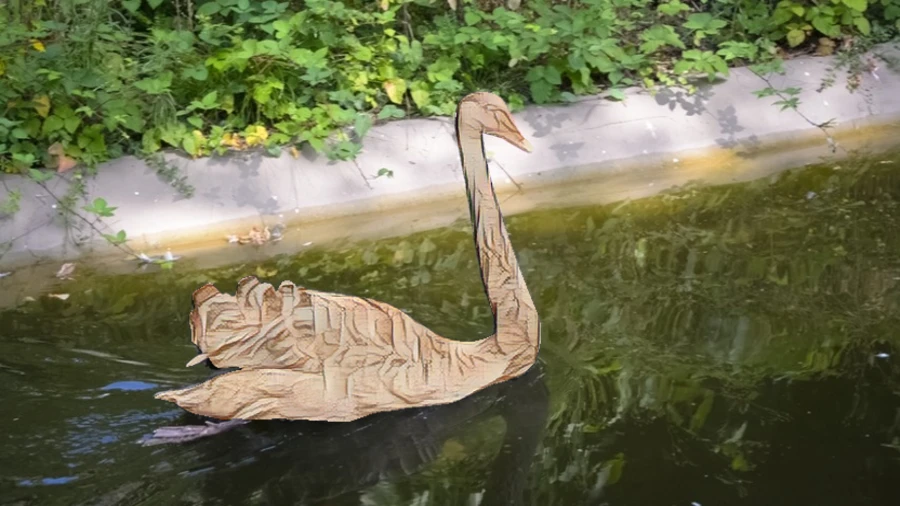 OriginalStylized object
 Drag to compare the original image with the AdaAttN result. These are resized images from the report, shown here as a saved example of the output.
Comparing ArtFID and speed
AdaIN had the shortest measured stylization time. AdaAttN had the lowest ArtFID, at 27.419 compared with AdaIN's 27.955. Lower ArtFID is better on this measure.
Stylization time by model
Report measurements · 600 transfers per model · lower is faster
AdaIN
PAMA
IEContraAST
AdaAttN
Bars share a zero baseline · scale 0–40 ms
The timings cover stylization only, excluding segmentation and compositing. The report doesn't specify the hardware or measure how long the full application takes.
The 1,000-input evaluation and timing chart come from the course report. The progress presentation shows an earlier experiment with different scores.
The screenshot shows the interface before I finished the combined application. The full application source hasn't been recovered; the code link points to the segmentation dependency.