UMTRI · Undergraduate research · May–September 2022
Estimating 3D joints from clothed body scans
3D Joint Estimation from Clothed Body Scans
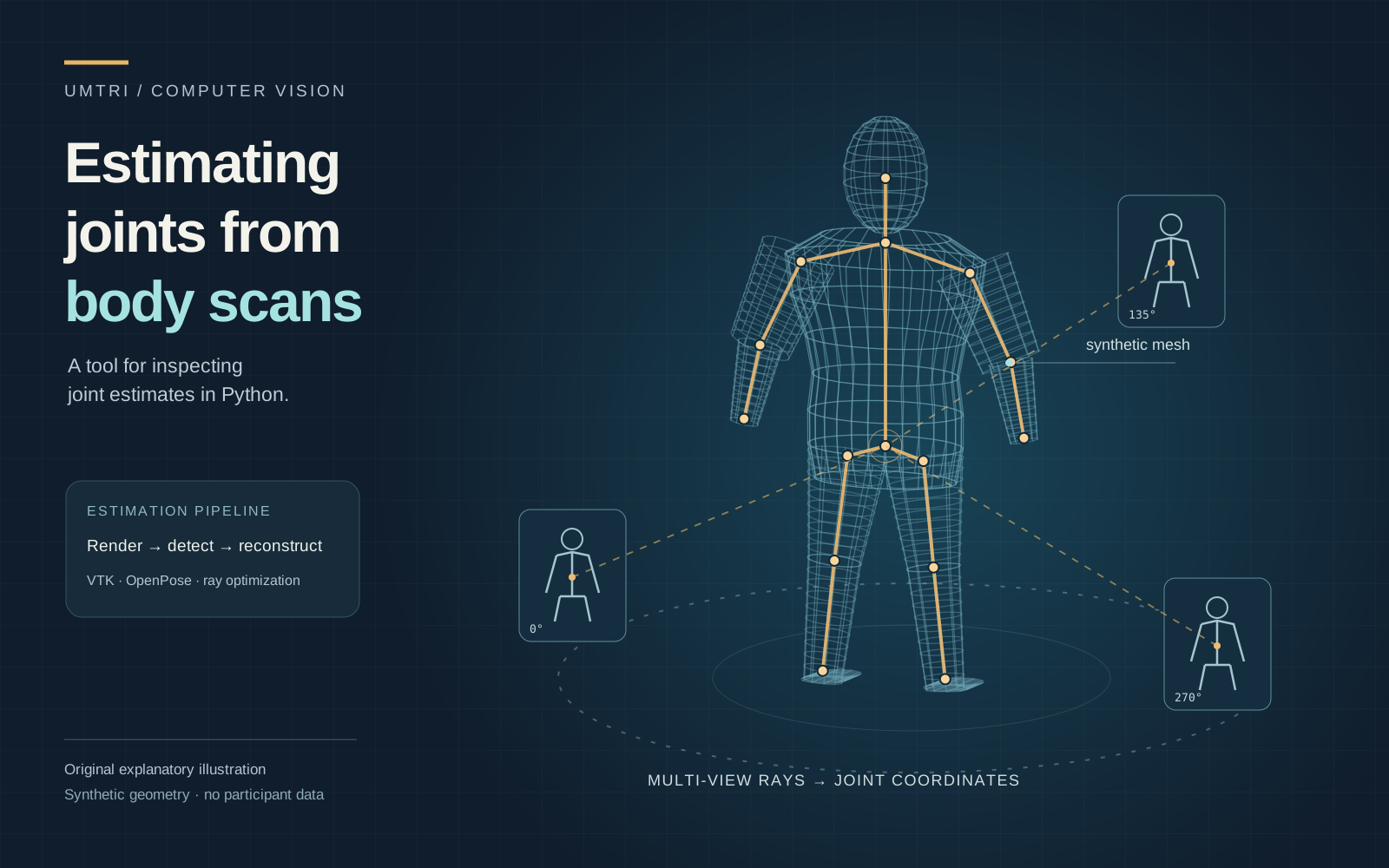
I adapted my mentor's C# prototype into a Python desktop tool. It estimates joint positions from several views of a clothed body scan and exports the coordinates.
I built the Python/VTK version, debugged the coordinate transforms, and added a desktop interface and macOS/Windows packages.
- Rendered images per scan
- 9
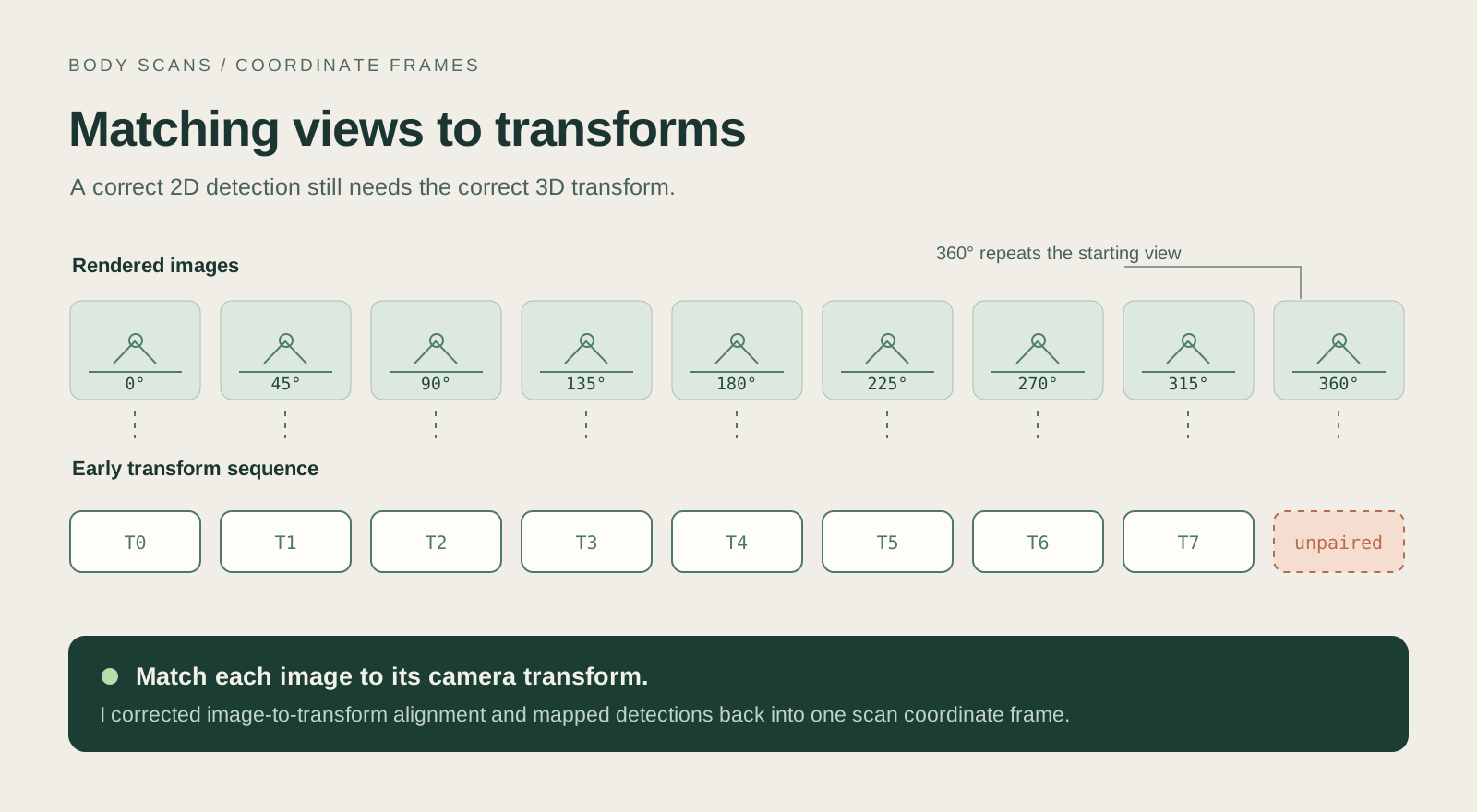
45° increments; 0° and 360° repeat one orientation.
- Candidate landmarks per image
- 25
OpenPose BODY_25; low-confidence detections are filtered.
- Desktop platforms
- 2
Delivered macOS and Windows application packages.
Starting point
Matching each image to its camera
The lab's method estimates joints by combining pose detections from different views of the same scan. Reproducing it in Python meant keeping the image coordinates, camera transforms, and scan coordinates aligned.
How it came together
- 01
Render the scan
The tool loads a PLY mesh in VTK, renders the configured views, and saves the camera transform for each image.
- 02
Trace detections into 3D
OpenPose identifies candidate joints in each image. The tool filters low-confidence detections and maps the accepted points back into 3D rays in the scan's coordinate frame.
- 03
Estimate and export
An optimization step combines the rays to estimate joint positions. The desktop interface can process scans in batches, display the joints, and export coordinates.
The finished desktop tool
After fixing the alignment, I added controls for selecting batches of scans, progress logs, optional result visualization, and CSV export. I packaged the application for macOS and Windows.
My mentor, Byoung-Keon (Daniel) Park, provided the original joint-estimation method and C# prototype. I adapted it to Python and built the research tool around it.
The browser demo uses synthetic data to explain the processing stages. It is separate from the original application and doesn't demonstrate anatomical accuracy.
Try it in your browser
This demo recreates parts of the project so you can try the interactions.